
Home Office TV Mounting in Garden Grove
TV Mounting Level Garden Grove covers TV mounting for Garden Grove home offices — the third bedroom of a 1950s ranch turned into a workroom, a den corner, a desk in a bonus room — where a TV runs news in the background, plays a webinar on the side or gives a break from the monitor, and the video call behind it needs to stay clean.
Bookings aren't open yet. Leave your name and number; your message is recorded, and you'll get one message when a local installer is available.
 Illustration
Glare on the screen and on the call
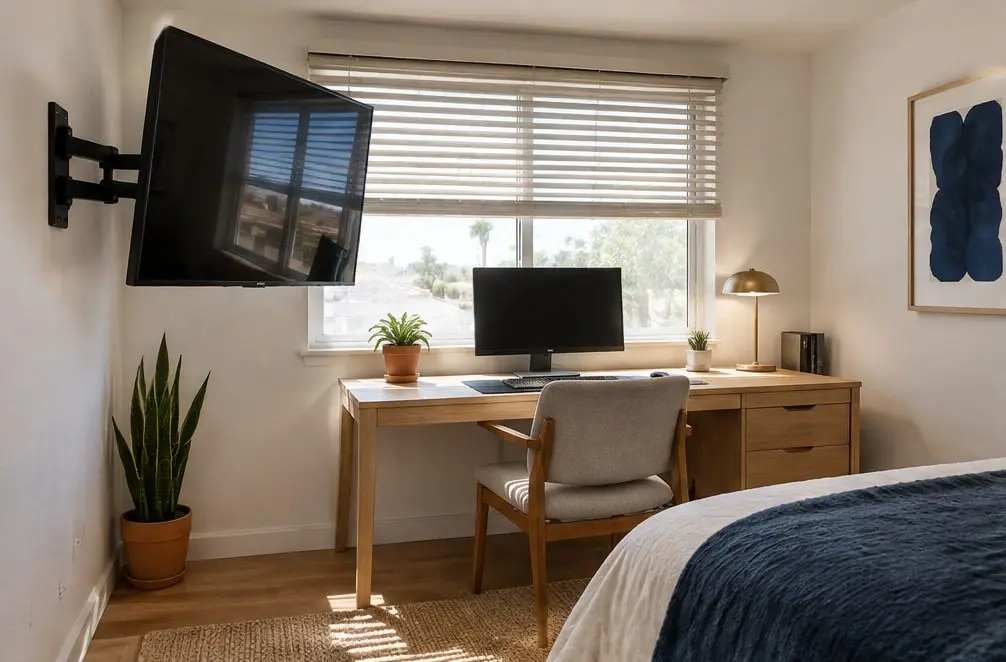
A home office usually has one window and a laptop camera facing the room. Two things go wrong with a TV there: sunlight lands on the TV and washes out the picture, and the dark glass shows up in the camera as a big black rectangle or a reflection of the person on the call.
| Wall | What happens | Better choice |
|---|---|---|
| Wall behind the desk | TV sits in the camera frame | Mount it to the side, out of frame |
| Wall facing the window | Daytime reflection on the glass | A tilting mount or a blind on that window |
| Side wall near the desk | Easy to turn toward the chair | A swing arm with a short reach |
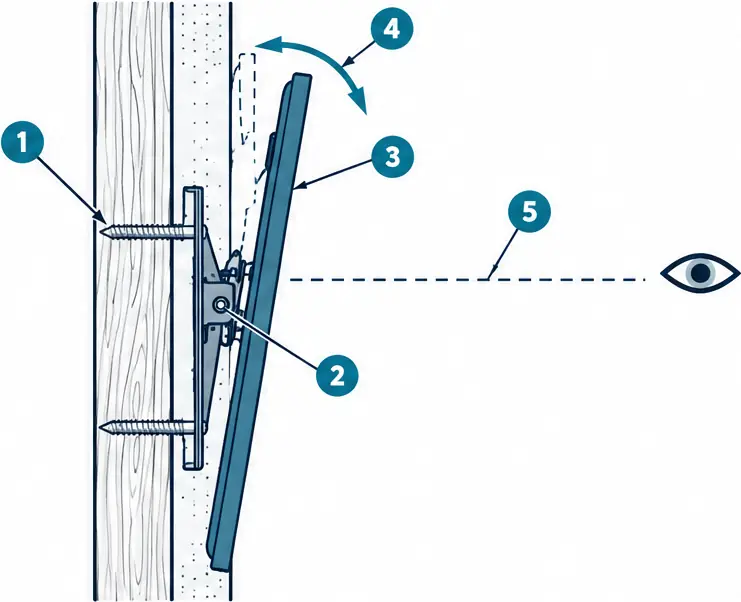
What the numbers show
- Lag bolt in the stud The plate is bolted through the drywall into a wood stud, so the weight goes into the framing.
- Tilt hinge The hinge between plate and brackets lets the top edge swing out while the bottom stays near the wall.
- Upright outline The dashed shape is where the TV would hang with no tilt, facing straight out and above the viewer.
- Tilt arc A few degrees of lean are usually enough to point the picture at the seat and to turn a window reflection away.
- Sight line The line from the seated eye meets the screen center at a right angle once the tilt is set.
A swing arm for a small room
The spare bedrooms in Garden Grove's mid-century homes are often around ten by ten feet, so the TV has to give back wall space when it is off. A short swing arm folds against the wall during work and pulls out toward the desk chair or a reading chair for a break.
The installer finds the studs first. In a small room the nearest framing is often at a corner or beside the window, and that decides how far the arm can reach. Older rooms can have plaster over lath or early drywall, which adds about $25–$45 to the base range, and the arm adds $30–$50 more.
Cables around a crowded desk
A desk already has a laptop dock, a monitor, a lamp and a router's worth of cords, and the TV should not add a second tangle. The usual plan is a single clip-on raceway down the wall to a low shelf, or an in-wall rated power kit when the owner wants the wall clear. The TV gets its own labeled plug so a tidy-up of the power strip does not switch it off, and the HDMI box or streaming stick is placed where its remote can reach it from the chair.
Older rooms, new use
Rooms built as bedrooms in the 1950s often have a single outlet and a closet door close to the wall where the TV would go. A mount over the outlet is not allowed to hide the plug, so the plan leaves the outlet reachable. If the room needs another outlet near the desk, that is a job for an electrician, not the mount installer.
Home Office TV Mounting — common questions
Will a TV on the office wall show up on a video call?
Only if it sits inside the camera's view, so the position is picked from the desk with the camera on, and a side wall is the usual answer.
Can the TV and a monitor arm share one wall?
Yes, each on its own anchors into studs; the installer checks that the two do not land on the same stud with their loads added up.
Availability & price range
Home Office TV Mounting: check availability and price range
Bookings aren't open yet — answer a few quick questions about the TV and the wall and get a typical Garden Grove price range right here. Typical Garden Grove prices for one TV, labor only unless an option says otherwise. This is a market estimate, not a quote.